


TRL Chat Recap: Checklists That Save Your Student Newsroom
 Date: November 19, 2026
By: Emily Hope Dobkin
This past week, we kicked off a new season of TRL (Teacher Reporting Labs) Chats!
A little background: TRL Chats are live conversations where educators come together to dig into a specific topic, share what’s working (and what’s not), and learn from one another in real time. They grew out of the TRL podcast, our educator-focused series featuring conversations with teachers and media educators about the ideas, challenges, and strategies shaping their work.
We wanted to invite more voices to the table, so this school year, we’re bringing TRL to you in a new format: focused live chats in the SRL Community Commons, led by SRL Teacher Ambassadors.
Each chat is a chance to gain practical, timely ideas you can take right back to your classroom, hear how other educators are approaching a shared challenge, and ask questions along the way. Think: less sit-back-and-listen and more pull-up-a-chair-and-figure-it-out-together.
 And what better topic to kick things off with than something we all rely on: checklists.
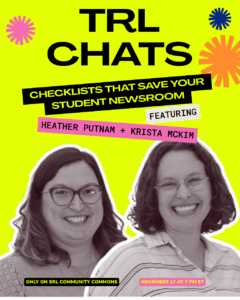
Our first TRL Chat was hosted by Krista McKim of Rockville High School (Rockville, Maryland) and Heather Putnam of Desert Edge High School (Goodyear, Arizona). Together, they shared practical checklists, tips, and strategies for keeping a student newsroom organized—from planning and production to all those easy-to-forget details in between.
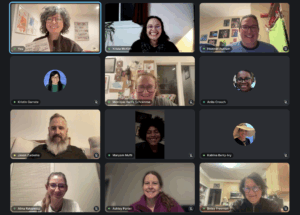
The conversation was full of ideas educators can take straight back to their classrooms, plus plenty of sharing from the educators who joined us live.
KEY TAKEAWAYS:
- Checklists are really about student independence, not just organization.
Checklists can take the teacher out of the middle of every process. Students can know what to do, troubleshoot with peers, take ownership of a role, and build workplace skills, even when the teacher isn’t there. They can also make processes more accessible to different learners. - The best checklists make the invisible steps visible.
Krista + Heather emphasized including everything, even the tiny “obvious” steps students routinely forget: checking audio, plugging equipment back in, backing up footage, watching an export, spelling names correctly, etc. Photos, videos, links, and examples can make a checklist even more useful for students learning a process for the first time. - Checklists can become teaching tools, not just task lists.
Checklists can be used for self-assessment, reflection, peer teaching, feedback, production quality, and even helping students learn how to give better feedback. They give students a shared set of criteria that helps them say not just “this is good/bad,” but specifically what worked and what could change. - Make the checklist work for your actual newsroom…and keep revising it.
There’s no one perfect format. Some might laminate them, put them on camera bags and studio walls, link them in digital spaces, color-code them, use clipboards, assign student leaders, or adapt roles based on the number and abilities of students. The recurring idea: build it → use it → notice what’s missing → revise it. - There can be tension between “more checklists” and checklist fatigue.
Students can get overwhelmed when there are too many checklists or they don’t know which one to use. Some solutions: color-coding, common locations, student leaders, physical copies, and tying checklists to specific roles or projects.
A sidebar conversation on the appreciation for spreadsheets, color-coding, clipboards, and post-it notes naturally ensued, because hey, if it saves time, energy, and brain power, why not have some strong feelings about the art of organization?
And this is just the beginning! Stay tuned for more conversations about newsroom organization in the SRL Community Commons.
Missed the conversation? Catch the recording here + scope the collection of checklists and resources here.
And save the date for our next TRL Chat: December 8 /// Growing Your Program: Recruitment, Retention & Buy-In. RSVP here.